📋 Editorial Notice: This article is for informational purposes only. All details are based on WhatsApp’s official blog announcement and reports from named news outlets.
📅 Published: October 1, 2026
Handing a teenager a smartphone usually means handing them WhatsApp too. Group chats, Status updates, Channels and now Meta AI all sit inside one app. Many parents want to guide their kids without reading their private messages.
On September 30, 2026, WhatsApp announced a set of optional WhatsApp parental controls built for exactly that. This guide covers what changed, what parents can and cannot see, and what is still unclear.
Table of Contents
What Are WhatsApp Parental Controls for Teens?
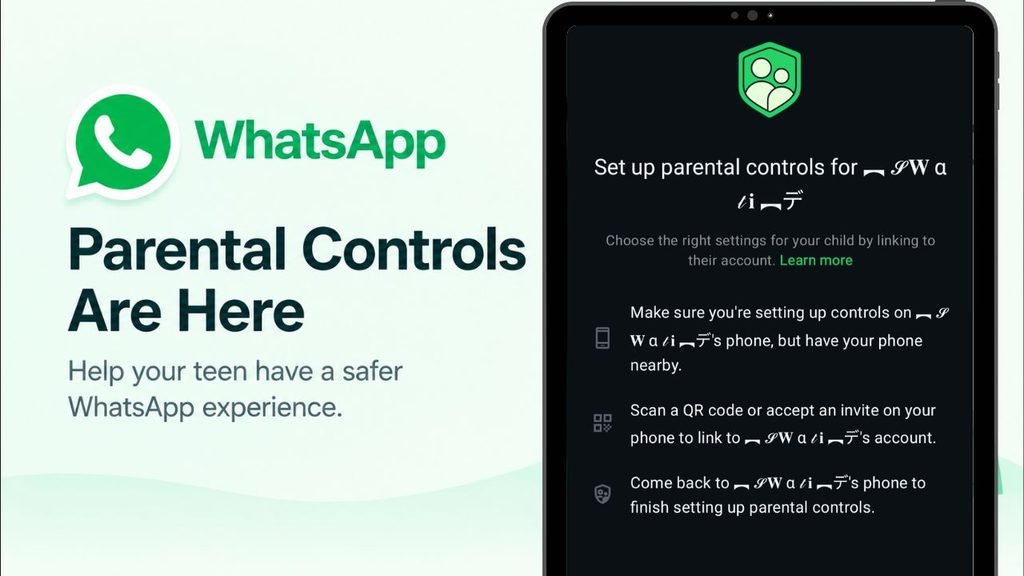
The new WhatsApp parental controls are a set of flexible, optional tools that parents and teens set up together. WhatsApp says the goal is to let families choose the experience that suits them. Parents told the company they want to guide teens without reading over their shoulder, and these tools follow that idea.
Nothing is forced. Parents decide how much support their teen needs, and they can adjust or switch the controls off at any time.
6 Things Parents Can Control
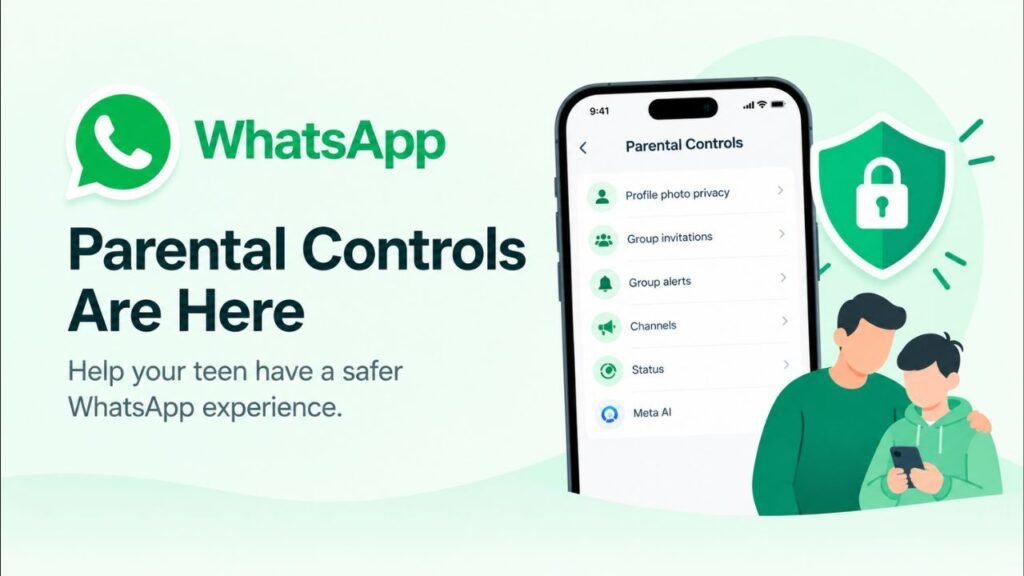
| # | Control | What it does |
|---|---|---|
| 1 | Profile photo privacy | Parents choose who can see their teen’s profile photo |
| 2 | Group invitations | Parents choose who can add their teen to groups |
| 3 | Group alerts | Parents are notified when a teen joins or leaves a group |
| 4 | Channels | Parents decide how their teen can use Channels |
| 5 | Status | Parents choose whose Status updates the teen sees and who sees theirs |
| 6 | Meta AI | Parents choose between the default 13+ setting and a stricter “Limited Content” option |
Group alerts
Parents also get an alert when a group their teen belongs to grows meaningfully in size. WhatsApp’s own post does not give exact numbers. One news report says the alerts can trigger at 30, 100 or 250 members. Treat that as a media report, not a confirmed official figure.
Meta AI settings
The Meta AI choice matters because the assistant now sits inside the chat list for many users. The default 13+ experience is the standard one. “Limited Content” is the stricter option for families who want tighter limits.
How the Parent PIN Works
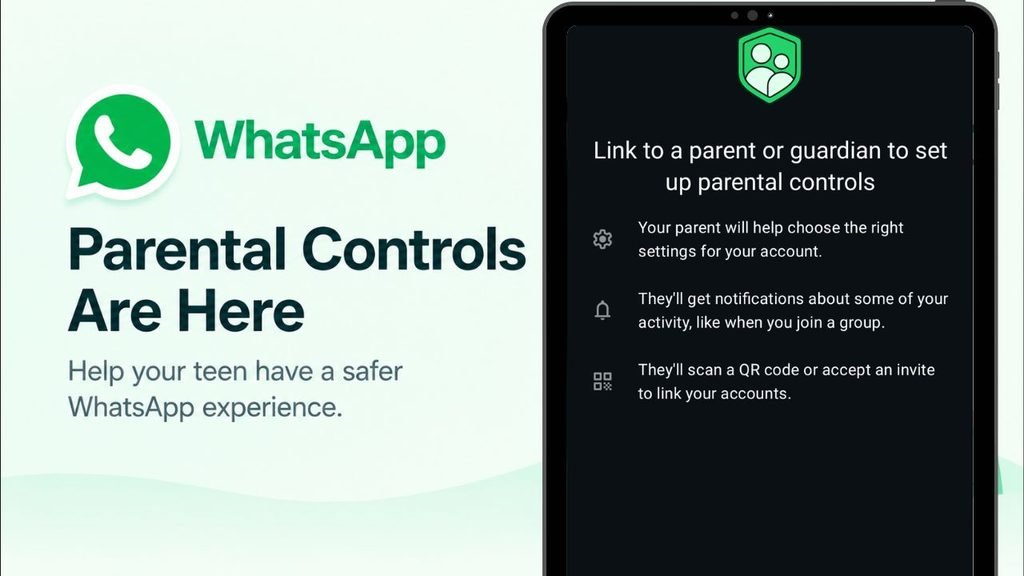
The whole system rests on one parent-set PIN. Teens cannot loosen a protected setting on their own. If a teen wants to relax a privacy setting, they need their parent’s approval through that PIN.
WhatsApp describes the setup as straightforward: a single PIN and clear alerts that keep parents informed. This keeps the process collaborative. A teen who wants a setting changed has to talk to a parent first, which is the point.
Are Teen Messages Still Private?
Yes. This is the most important part for families worried about surveillance. WhatsApp states that even with controls turned on, a teen’s personal messages and calls stay private and protected by end-to-end encryption. According to the company, no one outside the chat can see or hear them, and that includes WhatsApp itself.
So parents see settings and alerts, not conversations. The controls are designed to support open conversations between parents and teens, not to replace them. Parents who want to know what their teen is chatting about still have to ask.
Teen Controls vs Pre-Teen Accounts
This is not WhatsApp’s first family feature. Earlier in 2026, WhatsApp introduced parent-managed accounts for pre-teens. Those are stricter and limit the account to messaging and calling. The two systems serve different ages.
| Feature | Pre-teen accounts | Teen controls |
|---|---|---|
| Who sets it up | Parent creates and manages the account | Parent and teen set up together |
| Scope | Limited to messaging and calling | Full app with adjustable settings |
| Parent PIN | Yes | Yes |
| Optional | Yes | Yes |
| Announced | Earlier in 2026 | September 30, 2026 |
How to Set Up WhatsApp Parental Controls
WhatsApp says setup needs just one PIN, and that its Help Center explains the steps. I could not verify the exact menu path, so check the official Help Center page before following any third-party guide. Menu names often change between Android and iPhone versions, and guides written before the rollout may be wrong.
A sensible approach is to sit down with your teen, go through each setting together, and explain why you are choosing it. Teens are more likely to accept controls they helped shape.
Rollout and Availability
WhatsApp calls this “just the start.” The company says it is building these controls step by step, based on what families tell it they need. Reports describe the rollout as gradual, so the option may not appear on every phone immediately.
If you do not see it yet, update WhatsApp from the Play Store or App Store and check again over the coming weeks. Availability can vary by country, device and app version.
Conclusion
The new WhatsApp parental controls try to balance two things that usually pull against each other: safety and trust. Parents get control over who can see and contact their teen, plus alerts about group activity. Teens keep their private conversations protected by encryption.
The tools will not replace honest conversations at home. They also do not tell parents what is being said in chats. But as a first step, a single PIN and a few clear controls are a practical starting point. Keep an eye on WhatsApp’s blog for the additions the company has promised.
💡 Also Read: WhatsApp Outage
💡 Also Read: WhatsApp Username Feature Explained
❓ Frequently Asked Questions
1. Are WhatsApp parental controls mandatory?
No. They are entirely optional. Parents choose how much support their teen needs and can adjust or turn off the controls at any time.
2. Can parents read their teen’s WhatsApp messages?
No. WhatsApp says personal messages and calls stay private and protected by end-to-end encryption, even when parental controls are on.
3. What happens if my teen wants to change a protected setting?
They need the parent’s approval through the parent-set PIN before relaxing any of the controlled settings.
4. What does Meta AI “Limited Content” mean?
It is a stricter option for the Meta AI experience. Parents can choose it instead of the default 13+ setting.
5. Are these controls the same as pre-teen accounts?
No. Pre-teen accounts are parent-managed and limited to messaging and calling. The teen controls are a separate set of optional tools for older kids.
6. Are the controls available to everyone now?
The rollout is gradual, so it may take time to reach your account. Keep the app updated and check the official Help Center.
📚 Sources
- WhatsApp Blog: New Controls to Help Parents Guide Their Teens on WhatsApp (official, September 30, 2026)
- NewsBytes: WhatsApp launches parental controls for teen accounts with group alerts
- IANS via The Hawk: WhatsApp introduces optional parental controls for teens
- GSMArena: WhatsApp introduces parent-managed accounts for pre-teens
📖 About the Author
Waqar Ahmad is a tech and digital lifestyle writer with over 6 years of experience covering mobile apps, communication platforms, and internet infrastructure. He writes to make tech updates understandable for everyday readers.