📋 Editorial Notice: This article is based on verified 2026 product information from OpenAI, Anthropic, Zapier, Canva, Fathom, Intuit QuickBooks, and HubSpot, along with small business AI adoption data from Salesforce and industry research reports. Pricing was checked in September 2026 and may change.
📅 Published: September 17, 2026
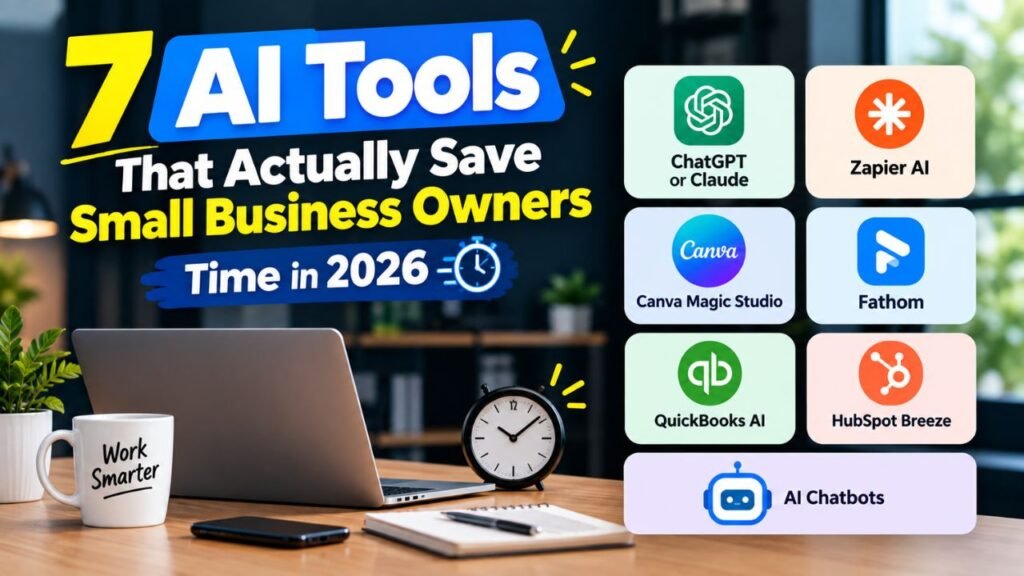
7 AI Tools That Actually Save Small Business Owners Time in 2026

Running a small business usually means being the marketer, the bookkeeper, the customer support team, and the scheduler, often before lunch. AI tools won’t do the job for you, but the right ones quietly take the repetitive parts off your plate — the email drafts, the meeting notes, the invoice chasing — so you can spend your time on the parts of the business only you can actually do. This guide covers seven such AI tools worth knowing about.
Adoption backs this up. Small business use of AI tools jumped from 39% to 55% between 2024 and 2025, and the average small business now runs a median of five AI tools across its daily operations, according to industry-wide small business technology research. This guide covers seven tools worth that adoption curve — what each one actually does, what it costs, and which specific task it saves you time on.
Table of Contents
- ChatGPT or Claude: Your General-Purpose Assistant
- Canva Magic Studio: Design and Video Without a Design Team
- Zapier AI: Automating the Repetitive Stuff
- Fathom: AI Notes for Every Meeting You Take
- QuickBooks AI: Bookkeeping That Doesn’t Eat Your Weekend
- HubSpot Breeze: Customer Emails and Records on Autopilot
- AI Chatbots: Customer Support That Doesn’t Sleep
- Quick Reference: AI Tools vs. Task
- Conclusion: Start With One AI Tool, Not Seven
- FAQs
- Sources
ChatGPT or Claude: Your General-Purpose Assistant
What it does: Drafts emails, writes product descriptions, summarizes long documents, answers research questions, and helps think through business decisions in plain conversation — no technical setup required.
Most guides to AI tools for small businesses point to ChatGPT or Claude as the first tool to actually adopt, and for a simple reason: nearly every other AI tool on this list handles one specific job, while these two handle dozens of small daily tasks that would otherwise each take 10–20 minutes.
Real use case: Instead of staring at a blank page to write a follow-up email to a slow-paying client, you describe the situation in a sentence and get a professional draft in seconds, ready to edit and send.
Cost: Both offer usable free tiers. ChatGPT Plus runs $20/month for higher usage limits and faster responses; Claude’s paid tier is similarly priced.
Zapier AI: Automating the Repetitive Stuff
What it does: Zapier connects the apps you already use — email, CRM, spreadsheets, Slack — and automates the handoffs between them using plain-English instructions instead of code.
A common example: “When I get a new lead in my CRM, summarize their information and send me a Slack message” is now something you can set up as a rule rather than something you do manually 15 times a day.
Real use case: A new customer fills out a contact form on your website. Instead of you copying that information into a spreadsheet and then emailing them manually, automation-focused AI tools like Zapier can log it, tag it, and send a welcome email automatically, the moment the form is submitted.
Cost: Free plan available for basic automations; paid plans that unlock AI-powered steps start around $20–30/month depending on usage volume.
Canva Magic Studio: Design and Video Without a Design Team
What it does: Among design-focused AI tools, Canva’s Magic Studio generates social media graphics, resizes designs across platforms automatically, and — increasingly relevant for 2026 — turns a single video into auto-subtitled, trimmed clips ready for Instagram Reels or TikTok.
Real use case: Record a 60-second product walkthrough on your phone, upload it to Canva, and let its AI auto-generate subtitles, cut dead air, and export it in the right size for each platform — all without opening a video editing program.
Cost: The free tier is genuinely usable for basic design work. The Pro plan, which unlocks most AI features, runs about $15/month per user.
Fathom: AI Notes for Every Meeting You Take
What it does: Fathom joins your Zoom, Google Meet, or Microsoft Teams calls, records them, and delivers a full transcript plus an AI-written summary and action item list — often before you’ve finished typing your own follow-up notes.
Real use case: Instead of half-listening to a client call while frantically typing notes, you focus entirely on the conversation. Among meeting-focused AI tools, Fathom hands you a clean, searchable summary afterward, so you can find exactly what was said weeks later without re-watching the recording.
Cost: Fathom’s free plan includes unlimited recordings, storage, and transcription, with advanced AI summaries on the first five meetings. Its Premium tier, which extends advanced summaries to every meeting, runs around $19 per user per month billed annually.
QuickBooks AI: Bookkeeping That Doesn’t Eat Your Weekend
What it does: Among finance-focused AI tools, QuickBooks automatically categorizes expenses, flags unusual transactions, and increasingly can draft full financial statements from raw transaction data — cutting down the manual data entry that eats into evenings and weekends for most small business owners.
Real use case: Instead of manually sorting a month’s worth of business expenses into categories at tax time, transactions get categorized automatically as they come in, so the year-end scramble becomes a quick review instead of a full rebuild.
Cost: Plans vary by feature tier, generally starting around $30–35/month, with AI-assisted categorization included in most current plans.
HubSpot Breeze: Customer Emails and Records on Autopilot
What it does: As one of the more CRM-focused AI tools on this list, Breeze drafts follow-up emails, summarizes customer interaction history, and helps prioritize which leads are actually worth following up on first — built directly into HubSpot’s CRM.
Real use case: Before calling a lead back, instead of scrolling through weeks of past emails and notes to remember where things left off, Breeze gives you a short summary of the relationship so you walk into the call already caught up.
Cost: HubSpot’s free CRM tier includes basic access; full Breeze AI features are bundled into paid Marketing or Sales Hub plans, which start at roughly $15–20/month per user.
AI Chatbots: Customer Support That Doesn’t Sleep
What it does: Answers common customer questions instantly on your website or social channels, 24 hours a day, and hands off to a human only when a question actually needs one.
For a small business without a dedicated support team, customer-facing AI tools like these are often the single biggest time-saver on this list, since it removes the pressure to personally answer the same five questions every single day.
Real use case: A customer asks about your return policy at 11 PM on a Sunday. Instead of waiting until Monday morning for a reply, an AI chatbot answers immediately using information you’ve already provided it, and only flags the conversation for you if it’s something more complex.
Cost: Entry-level AI chatbot plans from providers like Intercom or Zendesk typically start in the $30–50/month range, though several offer limited free tiers suitable for very small volumes.
Quick Reference: AI Tools vs. Task
| Tool | Best For | Starting Cost |
|---|---|---|
| ChatGPT / Claude | Writing, emails, research | Free / $20 per month |
| Zapier AI | Connecting apps, automation | Free / ~$20 per month |
| Canva Magic Studio | Design and short-form video | Free / ~$15 per month |
| Fathom | Meeting notes and transcripts | Free / ~$19 per user monthly |
| QuickBooks AI | Bookkeeping and expense tracking | ~$30 per month |
| HubSpot Breeze | CRM emails and lead summaries | Free / ~$15 per user monthly |
| AI Chatbots | 24/7 customer support | ~$30 per month |
Conclusion: Start With One AI Tool, Not Seven
Trying to set up all seven of these AI tools at once is how a lot of small business owners end up with a pile of unused subscriptions instead of real time saved. A more realistic approach is picking the one task that eats the most of your week right now — writing, meetings, bookkeeping, or customer questions — and starting with just that tool.
Give it two to four weeks with real, tracked usage before deciding whether it’s actually earning its subscription. Most small businesses that adopt AI well end up running around five tools total, added gradually as specific bottlenecks show up, not all installed in one weekend.
💡 Also Read: Once your workflow is freed up, don’t let social media be the next time sink: 7 Social Media Mistakes Small Businesses Keep Making
About the Author
Waqar Ahmad is a tech and digital lifestyle writer with over 6 years of experience covering AI tools, mobile apps, and the online earning space. He writes to make new technology practical for small business owners and everyday readers.
Frequently Asked Questions
1. What is the best AI tool for a small business just starting out?
Among general-purpose AI tools, ChatGPT or Claude is typically the best starting point, since both handle a wide range of tasks — writing, research, and quick customer email drafts — without requiring any technical setup or a specific workflow to already be in place.
2. Are AI tools for small businesses actually affordable?
Most of these AI tools offer a usable free tier, with paid plans generally ranging from $15 to $50 per month depending on the tool and usage volume. Very few require a large upfront investment.
3. Do I need technical skills to use these AI tools?
No. All seven AI tools in this guide are built for non-technical users and rely on plain-English instructions rather than code. If you can use email and a web browser, you can set up and use every tool on this list.
4. How much time can AI tools actually save a small business?
It varies by task, but tools like AI meeting notetakers and chatbots commonly save several hours per week by removing manual note-taking and repetitive customer questions. Industry guidance generally suggests a tool should save at least 3–5 hours per week to be worth adopting.
5. Is Fathom really free for meeting notes?
Yes, for basic use. Fathom’s free plan includes unlimited recording, storage, and transcription across Zoom, Google Meet, and Microsoft Teams, with advanced AI summaries included for the first five meetings before its paid tier is needed for more.
6. Should a small business use all seven of these tools at once?
Not immediately. Most small business technology research points to a median of around five AI tools per business, added gradually as specific problems come up, rather than adopted all at once. Starting with one of these AI tools for your biggest time drain works better than a rushed full setup.
Sources
- OpenAI (ChatGPT), Anthropic (Claude) — official product and pricing pages
- Zapier — official AI automation feature documentation
- Canva — Magic Studio feature documentation
- Fathom Video — official pricing and feature pages
- Intuit QuickBooks — official AI bookkeeping feature pages
- HubSpot — Breeze AI feature documentation
- Salesforce and industry small business AI adoption research, 2026