Table of Contents
- Why These Three Problems Get Lumped Together
- Quick Fix Table
- Random Restarts and Freezing
- Screen Flickering and Ghost Touch
- Bluetooth Won’t Connect to Earbuds or Car
- When It’s Time to Stop Troubleshooting and Get It Looked At
- Frequently Asked Questions
- Final Thoughts
Your phone reboots itself out of nowhere, mid-message, and for a second you brace for whatever you were typing to just vanish. Or the screen starts tapping things nobody touched, and you genuinely start doubting your own hands. Or your earbuds, the same ones that connected fine yesterday, just refuse to show up in the Bluetooth list today, no reason given.
Three totally different headaches, and all three sit high on the list of common phone problems people search for the moment they happen. They look unrelated on the surface. They mostly aren’t, and understanding why saves you a lot of pointless troubleshooting later.
Why These Three Problems Get Lumped Together
A restart could be a dying battery. Could be some rogue app hogging resources in the background. Could genuinely be overheating from an hour of gaming. A flicker might be a software bug, or it might be a loose connector somewhere inside the display itself. Bluetooth trouble could sit on your phone’s end, the earbuds’ end, or just be fifteen other wireless gadgets in your house stepping on the same frequency.
Different symptoms, same messy overlap between “this is a software glitch” and “this is actual hardware wear.” That overlap is exactly why so many people give up mid-troubleshoot and just restart the phone five times, hoping something sticks.
Work through it in order instead. Takes less time than you’d think.
Quick Fix Table
A quick look at these six common phone problems before diving into the full explanation for each.
| Problem | Most Likely Cause | Try This First |
|---|---|---|
| Random restarts | Overheating, battery degradation, or a buggy app | Check Battery Usage stats for one app spiking |
| Freezing without restarting | Storage nearly full or too many background apps | Free up storage, restart the phone |
| Screen flickering | Adaptive brightness conflict or a display update bug | Toggle adaptive brightness off, check for a software update |
| Ghost touch (screen registers taps on its own) | Screen protector, charging cable, or digitizer fault | Remove screen protector, unplug charger, retest |
| Bluetooth won’t pair with a device it worked with before | Corrupted pairing memory | Forget the device on both ends, then re-pair |
| Bluetooth pairs but audio cuts out | Interference or outdated firmware | Move away from Wi-Fi routers, update earbuds/car firmware |
Read Our Complete Article About How To Work On Gumroad
Random Restarts and Freezing
One minute everything’s normal. The next, you’re staring at the boot logo, again, with zero idea what triggered it. Nine times out of ten it’s one of three things: heat, a misbehaving app, or a battery that’s not what it used to be.
Start with heat, since it’s the easiest to rule out. Gaming, GPS navigation, long camera sessions, all of this pushes the processor hard enough that phones are actually built to shut down or restart before real damage happens. A phone that’s hot after an hour of Maps isn’t broken. It’s protecting itself, doing exactly what it’s supposed to. Let it cool naturally. Skip the freezer trick people swear by online, that just invites condensation, and condensation is a far worse problem than heat ever was.
Not heat? Check what’s eating your battery. Settings > Battery shows the breakdown. Something sitting near the top of that list that you barely opened all day is often the real troublemaker behind common phone problems like this one, quietly crashing things in the background while you assumed it was whatever app you actually had open. Background sync apps and anything constantly pulling your location are repeat offenders here, even when they look completely idle from the home screen.
Battery age matters more than most people give it credit for. An older battery sometimes can’t deliver a stable current the instant you open something demanding, the camera, a heavy game, and rather than just dimming or lagging, the phone reboots. iPhone owners can check this directly: Settings > Battery > Battery Health. Under 80% and seeing frequent restarts? Not a coincidence, that’s your answer. Android doesn’t show the number quite as cleanly, but a battery draining noticeably faster than it did a year ago is telling you the same story.
Freezing without an actual restart, though, usually means something different: storage. Both Android and iOS start behaving strangely once you cross roughly 90% full, since the system genuinely needs breathing room for cache and temp files to do their job. Go delete those duplicate vacation photos you’ve been meaning to sort for six months. Clear out the download folder you forgot existed. Freezing very often just stops once there’s actual room to work with.
Contact Samsung Support Help
Screen Flickering and Ghost Touch
People lump these two together constantly, but they’re really not the same problem, and treating them as one just wastes your time.
Flickering, that pulsing brightness or the image briefly glitching, usually comes down to adaptive brightness fighting with your ambient light sensor. Classic setup for this: a dim room with a bright window somewhere off to the side, confusing the sensor about what it’s actually looking at. Turn adaptive brightness off, live with manual brightness for a day. If the flicker’s gone, that was it, and you can flip adaptive brightness back on once you’re confident nothing bigger’s wrong underneath.
A buggy software update is the other frequent cause. Display drivers ship with bugs sometimes, and certain phone models get hit harder than others for reasons that rarely make sense from the outside. Manufacturers usually patch it within a few weeks once enough people complain loudly enough. Check Settings > System > Software Update before assuming the worst about your hardware.
Ghost touch is its own thing entirely. Screen registering taps nobody made? First move, always: pull off the screen protector, especially if it’s some cheap one you grabbed off a bargain rack, since trapped moisture or air bubbles underneath genuinely confuse touch sensitivity. Unplug the charger too, then test again. An honestly surprising number of ghost touch complaints trace back to a bad charging cable messing with the screen’s electrical field while it’s plugged in, and it’s rarely the display itself that’s at fault. Off-brand cables and cheap third-party chargers are the usual suspects, way more often than people assume.
Still acting up with the protector gone and the cable unplugged? Now you’re genuinely looking at a digitizer issue, and that’s a repair shop conversation, not something a settings menu can fix. Of all the common phone problems in this guide, this is the one troubleshooting genuinely can’t solve on its own.
Read Our Complete Article About Facebook monetization Tools
Bluetooth Won’t Connect to Earbuds or Car
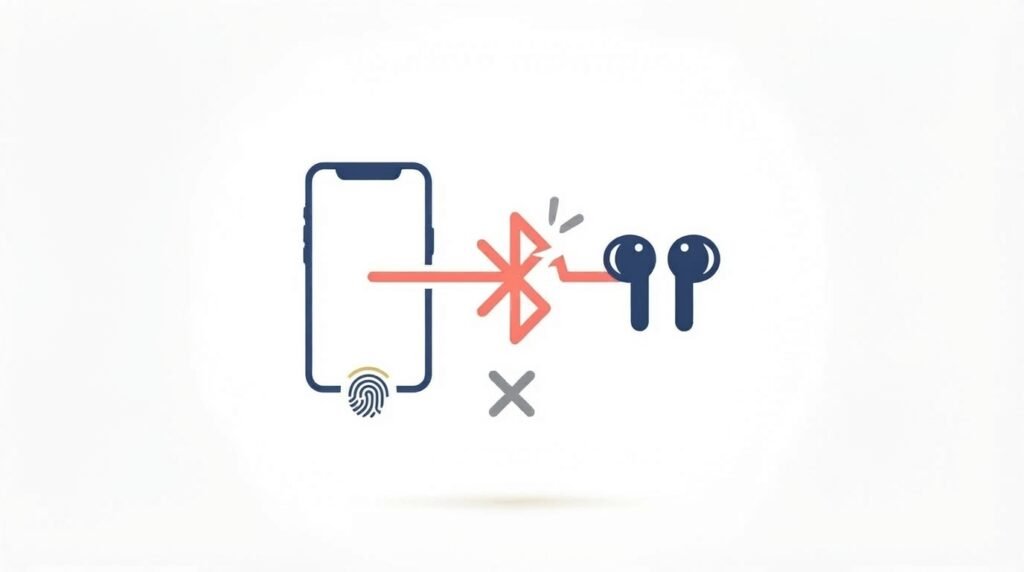
This one’s maddening because there are so many places it can go wrong, and the actual fix for these common phone problems depends entirely on what’s failing.
Earbuds or a car system that paired fine for months and suddenly won’t reconnect? The pairing memory on one side has probably gotten corrupted. Go into Bluetooth settings, find the device, hit Forget or Unpair. Do the exact same thing on the earbuds or car system if it keeps its own separate list. Pair from scratch after that. It clears out whatever mismatched data was breaking the handshake in the first place.
Connects fine but the audio keeps cutting in and out? That’s interference, almost always. Wi-Fi routers, microwaves, every other Bluetooth gadget sitting in your house, they all share overlapping frequencies, and a crowded apartment full of smart devices genuinely degrades the signal more than people expect. Walk further from your router and test again, it’s a legitimate diagnostic step, not superstition.
Firmware’s worth checking too, and it’s the one most people skip entirely. Earbuds and car infotainment systems both need their own separate updates, usually through some manufacturer app nobody remembers installing. A mismatch between your phone’s Bluetooth stack and an older accessory is a quiet, under-discussed reason pairing turns flaky right after your phone gets a system update. Car systems especially lag months behind on this, since almost nobody thinks to go check.
Read Our Complete Article About Whatsapp Username updates
When It’s Time to Stop Troubleshooting and Get It Looked At
Most of what’s covered here clears up with a software fix, but not every one of these common phone problems has a settings-based answer. A few signs, though, mean you’re dealing with real hardware, not a setting waiting to be flipped. A phone restarting even fully charged and sitting idle on a table points toward an actual battery or motherboard problem. Ghost touch that survives no case, no protector, no cable, tested over several hours, means the digitizer probably needs replacing. Bluetooth that won’t connect to several unrelated devices, not just one stubborn pair of earbuds, suggests the antenna itself might be the issue.
Worth trying one factory reset before you accept it’s hardware, since it rules out a deeply corrupted system file no amount of settings-tweaking can reach. Back everything up first, obviously. A factory reset wipes the phone completely clean.
Frequently Asked Questions
Can a phone case cause ghost touch or screen flickering? Sometimes. A case pressing too tightly against the screen’s edge can create pressure points that mess with touch sensitivity in ways that look exactly like a hardware fault. This is a genuinely easy one to rule out among common phone problems, since removing the case costs nothing. Pull it off for a day and see if anything changes before you assume the worst.
Why does my phone only restart while charging? Points to the charging port or cable, not the battery itself. A loose connection causes power fluctuations that can trigger a restart on their own. Try a different cable first before you start blaming the battery for something a $5 cable might be causing.
Is it normal for Bluetooth to disconnect when I walk into another room? Yes, completely normal. Bluetooth’s realistic range sits around 30 feet, and walls, especially ones with metal studs or plumbing running through them, cut that down fast. Nothing’s actually wrong with your phone or the earbuds.
Should I update my phone’s software if it’s already acting up? Usually, yes. Manufacturers push out fixes for exactly these kinds of common phone problems all the time, often faster than people expect. The one exception: if the trouble started right after your last update, give it a few days for a follow-up patch instead of blindly updating again.
Does a factory reset fix hardware problems too? No, and this trips people up constantly. It only clears software-level issues, corrupted files, a misbehaving app, that category of thing. If restarts, flickering, or Bluetooth failures survive a genuinely clean reset, you’re looking at a physical repair, not another software tweak worth trying.
Final Thoughts
Random restarts, a flickering screen, Bluetooth that won’t cooperate, these feel like three completely unrelated disasters when you’re the one dealing with them. In reality, most common phone problems like these trace back to the same short list of culprits: heat, storage, a rogue app, a cheap cable, outdated firmware, or a battery that’s simply worn past its best years. Work through the checks above in order, starting wherever your actual problem sits, and you’ll likely clear it up without ever setting foot in a repair shop. If nothing here moves the needle, that’s your answer already. It’s hardware now, not a setting hiding somewhere waiting to be flipped.