Introduction
It always happens at the worst possible time.
You’re mid-scroll, mid-call, or mid-payment — and your phone freezes. Or it’s burning hot in your pocket. Or the charging cable only works if you hold it at some impossible angle, like you’re defusing a bomb.
If any of that sounds familiar, you’re not alone. Mobile phone problems are something almost every smartphone owner runs into sooner or later, no matter how expensive or new the device is. The good news? Most of these issues are far less serious — and far cheaper to fix — than they feel in the moment.
Before you panic and book a repair appointment, this guide walks you through the most common mobile phone problems, why they actually happen, and what you can do about them today.
Every smartphone owner eventually deals with some kind of mobile phone problems, whether it’s a laggy screen, a hot device, or a stubborn charging cable. What most people don’t realize is that mobile phone problems rarely mean the device is actually failing they’re usually just small, fixable habits gone wrong. Understanding why mobile phone problems happen in the first place saves you both time and an unnecessary trip to the repair shop.
1. Slow Performance / Phone Hanging
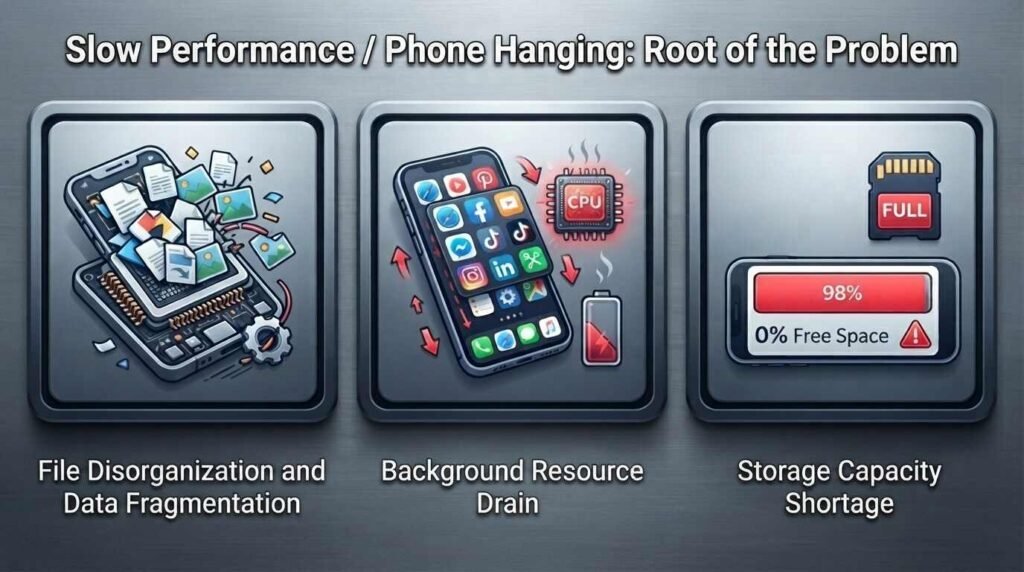
There’s a particular kind of frustration reserved for a phone that used to be fast and suddenly isn’t. Apps take longer to open. The keyboard lags half a second behind your fingers. Scrolling feels sticky. Every so often, the whole screen just… freezes.
This is one of the most reported mobile phone problems, and it rarely means your device is dying.
Mobile Phone Problems Common Causes
| Cause | Why It Slows Your Phone Down |
|---|---|
| Storage almost full | Less than 10% free space can noticeably hurt performance |
| Too many background apps | Apps competing for memory and processing power |
| Outdated software | Missing performance and bug-fix updates |
| Heavy games/apps | High demand on processor and RAM |
| Limited available memory | Not enough RAM to multitask smoothly |
| Resource-hungry apps | One app quietly draining battery and CPU |
Google’s Android guidance notes that performance issues often appear once storage drops below 10%. Samsung similarly points to outdated software, background apps, and low memory as common reasons a Galaxy device slows down.
The Fix
- Check your storage first. Delete old videos, duplicate photos, screenshots, and unused apps.
- Restart your phone. It clears temporary processes and often resolves minor glitches instantly.
- Check battery/memory usage per app. One misbehaving app is often the real culprit.
- Update your OS and apps. Updates fix the exact kind of bugs that cause slowdowns.
💡 Myth to drop: Clearing every app’s cache isn’t a magic fix. If storage is the real issue, removing large unused files matters far more than cache-clearing rituals.
2. Overheating
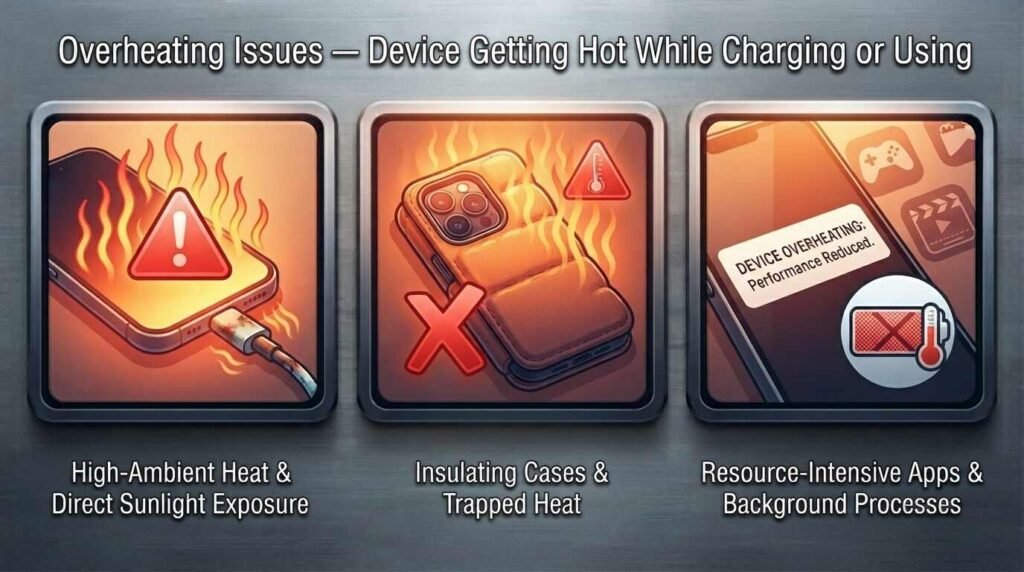
A warm phone isn’t automatically a broken phone. Gaming, navigation, video recording, and charging all naturally raise your device’s temperature. The real concern is when your phone gets unusually hot during normal, everyday use — or when it starts throttling performance or refusing to charge because of the heat.
Mobile Phone Problems Common Causes
| Trigger | Impact |
|---|---|
| Heavy gaming | High sustained processor load |
| Long video recording | Continuous camera + processor strain |
| Extended GPS/navigation | Constant location tracking drains and heats |
| Multiple demanding apps | Combined resource load |
| Direct sunlight | External heat adds to internal heat |
| Parked car in heat | Extreme ambient temperature |
| Charging + heavy use together | Compounded heat generation |
| Faulty charging accessories | Inefficient, unsafe power delivery |
Samsung’s official guidance lists direct sunlight, demanding apps, gaming, GPS use, and incompatible chargers among the leading causes of rising device temperature.
The Fix
- Stop demanding apps immediately and let the device rest.
- Avoid gaming while charging — this combination generates excess heat.
- Move out of direct sunlight or a hot car.
- Remove the phone case temporarily while charging to help airflow.
- Lower screen brightness and disable GPS/Bluetooth when not needed.
⚠️ Never put an overheating phone in a fridge or freezer. Sudden temperature swings cause condensation, which can cause real internal damage — the opposite of a fix.
Read Our Article About Online Earning
If your phone overheats repeatedly during normal use, or heats up even when idle, that’s your cue to get it professionally inspected rather than testing your luck.
3. Charging Issues — Slow Charging or Charging Only at an Angle
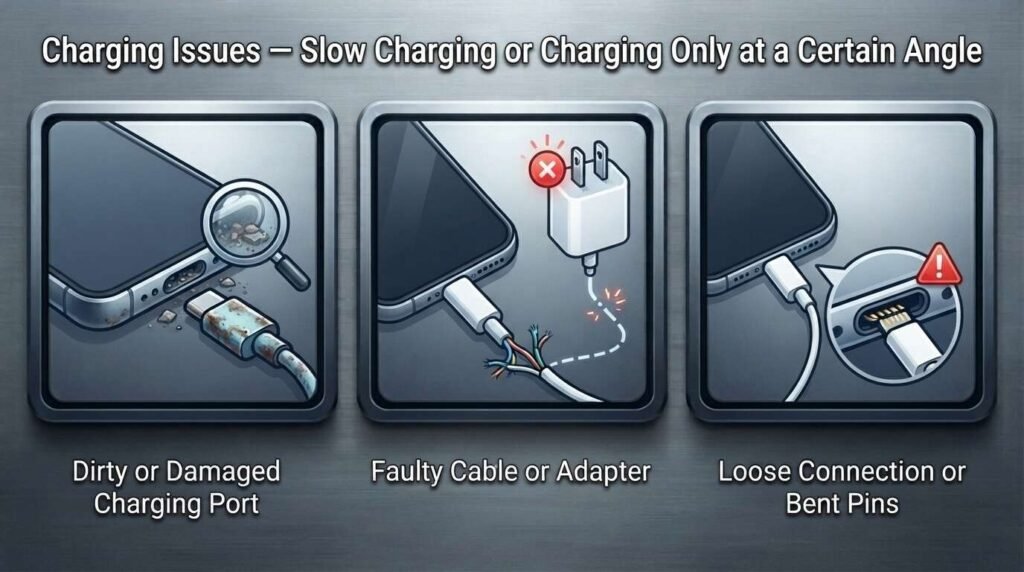
Few mobile phone problems feel as maddening as a phone that only charges when the cable is bent at a specific, oddly precise angle — like it’s holding a grudge.
Most people blame the battery instantly. But the real cause is often something smaller: dust, a worn cable, or a loose port.
Mobile Phone Problems Common Causes
| Symptom | Likely Cause |
|---|---|
| Charges only at an angle | Worn or damaged charging port/cable |
| Very slow charging | Dust, heat, wrong charger, disabled fast-charge |
| Charging stops randomly | Overheating or moisture detection |
| Won’t charge at all | Damaged port, cable, or adapter |
Google’s Android troubleshooting steps recommend checking the port for dust or lint, verifying cable/adapter connections, and testing an alternate compatible cable. Samsung’s guidance similarly flags temperature, debris, and accessory compatibility as key charging-speed factors.
The Fix
- Swap the cable and charger first. This single test rules out (or confirms) most issues.
- Inspect the port with a flashlight for visible dust or lint.
- Never insert pins, needles, or metal objects into the port — you risk damaging the internal contacts.
- If it only charges at an angle, suspect a worn port or cable — professional inspection is the safer next step.
- If you see a moisture warning, unplug immediately and let the port fully air-dry before trying again.
Quick Troubleshooting Table
| Problem | Common Cause | First Thing to Try |
|---|---|---|
| Phone is slow or freezes | Low storage, background apps, outdated software | Free up storage and restart |
| Phone overheats | Gaming, sunlight, demanding apps, charging | Stop heavy use and let it cool |
| Charging is slow | Heat, charger, cable, settings | Try a compatible charger and cable |
| Charging works only at an angle | Cable or port damage | Test another cable and inspect the port |
| Charging stops unexpectedly | Heat or moisture | Disconnect and let it cool or dry |
How to Prevent These Mobile Phone Problems Before They Start
Fixing mobile phone problems is useful. Avoiding them altogether is better. A few small habits go a long way:
- Keep some storage free — don’t let your phone run at 100% capacity.
- Install updates promptly — they carry security, stability, and performance fixes.
- Avoid heavy use while charging — give your phone a break from gaming or recording.
- Use reliable charging accessories — cheap isn’t always bad, but incompatible or damaged ones are risky.
- Keep your phone out of extreme heat — no dashboards, no direct sun for hours.
Read Our Article About Facebook Monetization Tools
When Should You Stop Troubleshooting Yourself?
Most mobile phone problems are simple and fixable at home. But some warning signs mean it’s time to stop experimenting and call a professional:
- The phone repeatedly overheats during normal use
- The charging port feels loose or physically damaged
- The battery looks swollen
- You notice a burning smell
- The phone shuts down repeatedly on its own
- Charging stays unreliable even after a new cable and charger
- The phone has suffered liquid or physical damage
🚩 A swollen battery or a burning smell is never “just a software glitch.” Stop using the device immediately and seek professional help.
Frequently Asked Questions
Why is my phone suddenly so slow? Usually low storage, too many background processes, outdated software, or a problematic app. Start by checking storage, updating software, and restarting.
Can overheating damage a phone? Yes, if it happens repeatedly. Occasional warmth during gaming or charging is normal; persistent or extreme heat can affect battery health and internal components over time.
Why does my phone only charge when I hold the cable at an angle? This typically points to a worn charging cable or port. Test a different compatible cable first; if the issue persists, the port may need professional repair.
Can I clean my phone’s charging port myself? Yes, carefully — using a manufacturer-recommended method. Avoid metal pins or sharp objects, which can damage the internal contacts.
Should I put an overheating phone in the fridge? No. Let it cool naturally in a shaded, room-temperature area. Rapid temperature changes can cause condensation and further damage.
Do background apps really make a phone slow? Some do, by consuming memory and battery. You don’t need to force-close everything — just identify and manage the specific apps causing heavy resource use.
Is slow charging always the battery’s fault? No. Cables, chargers, port debris, heat, and settings are all common causes. The battery is only one possibility among several.
Final Thoughts
Here’s the truth most people don’t want to hear when their Mobile Phone Problems starts acting up: it’s probably not as broken as it feels.
A slow phone is often just a full one. An overheating phone might simply be working too hard in too much heat. A charging problem may have nothing to do with the battery at all.
Start with the basics — check your storage, restart the device, update your software, test a new cable, and keep your phone away from extreme heat. If the problem persists, or you notice swelling, burning smells, or physical damage, stop troubleshooting and get it looked at by a professional.
Identify the cause before you chase the fix. That one habit can save you time, money, and a lot of unnecessary stress
Read Samsun.com Official Article About What to do if your Samsung Phone is not charging