📋 Editorial Notice: This article is for informational purposes only. All information is based on official Google announcements and verified security sources.
📅 Published: August 13, 2026 |
📋 Table of Contents
- What Is This Feature?
- How DBSC Works
- The Problem It Solves
- Chrome Account Takeover Protection — Rollout Status
- How to Enable and Check DBSC on Your Browser
- CVE-2025-4664 — The Zero-Day That Changed Everything
- Other Chrome Security Features Working Alongside DBSC
- What This Means For You
- Conclusion
- FAQ
What This Article Covers
| Section | What You’ll Learn |
|---|---|
| What Is This Feature | Definition, DBSC, why it matters now |
| How DBSC Works | TPM, session cookies, cryptographic keys |
| The Problem It Solves | Cookie theft, infostealer malware, MFA bypass |
| Rollout Status | Windows, macOS, Workspace timeline |
| How to Enable It | Step-by-step Chrome settings |
| CVE-2025-4664 | The zero-day vulnerability Google patched |
| Other Security Features | Passkeys, Safe Browsing, Safety Check |
| FAQ | 5 common questions answered |
Here’s something that should genuinely concern you.
You have two-factor authentication turned on. You use a strong password. You do everything right. And yet — hackers are still getting into accounts. Not by guessing passwords. Not by breaking 2FA. By stealing something you probably didn’t even know existed in your browser.
Chrome Account Takeover Protection is Google’s direct response to this problem — and it’s one of the most significant browser security upgrades in years.
Google is rolling out Device Bound Session Credentials (DBSC) to all Chrome users a new security mechanism that cryptographically binds browser authentication sessions to a user’s physical device using TPM (Trusted Platform Module). This directly addresses one of the most damaging attack techniques used by infostealer malware: the theft of session cookies to bypass multi-factor authentication.
This isn’t a minor settings tweak. This is a fundamental change in how Chrome protects your accounts — and it’s happening right now.
If You’r Serious About Online Earning Then Read Our Articles About Online Works
💡 What Is Chrome Account Takeover Protection? {#what-is}
Chrome Account Takeover Protection — The DBSC Explained
Chrome Account Takeover Protection is powered by a technology called Device Bound Session Credentials — or DBSC for short.
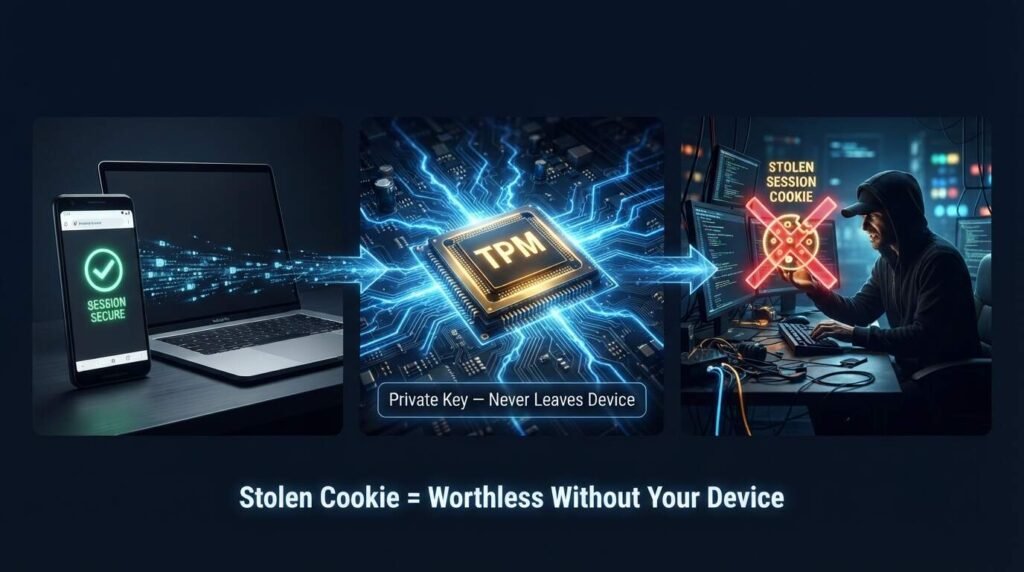
The technology works by cryptographically linking a user’s session to their specific device, making the session cookies that attackers steal effectively worthless on any other machine.
Think of it like this. When you log into a website, your browser receives a “session cookie” — a small file that proves you’re already logged in so you don’t have to enter your password every time you visit. These cookies are incredibly convenient. They’re also incredibly valuable to hackers.
Session theft typically occurs when a user inadvertently downloads malware onto their device. Once active, the malware can silently extract existing session cookies from the browser or wait for the user to log in to new accounts, before exfiltrating these tokens to an attacker-controlled server.
Once a hacker has your session cookie, they don’t need your password. They don’t need your 2FA code. They just paste the cookie into their own browser and they’re in — as you.
Chrome Account Takeover Protection through DBSC makes stolen cookies useless. Here’s how.
⚙️ How Does DBSC Work? {#how-it-works}
The Cryptographic Key That Never Leaves Your Device
DBSC introduces a cryptographic key pair associated with the user’s device. Chrome generates this key pair during login and stores the private key in secure hardware, such as a Trusted Platform Module (TPM), when available.
In simple terms:
- You log in to a website that supports DBSC
- Chrome generates a unique public-private key pair on the spot
- The private key is locked inside your device’s TPM chip — it never leaves
- The website stores the public key and links it to your session
- Every few minutes, Chrome must prove it still has the private key to keep the session alive
- If someone steals your session cookie and uses it on another device — it fails. No private key, no access.
DBSC binds web sessions to a device-held cryptographic key, making stolen cookies useless because they cannot be refreshed from another device. The browser stores a non-exportable private key in a TPM, signing server challenges every 5 minutes.
The beauty of this system is that it replaces the old probabilistic security checks — like flagging logins from unusual IP addresses — with cryptographic certainty. <cite index=”17-1″>Either you have the device-bound key, or you don’t.
Read Our Article About Facebook Affiliate Partnerships Program
🚨 The Problem Chrome Account Takeover Protection Solves {#problem}
Why Passwords and 2FA Are No Longer Enough
Most people assume that two-factor authentication makes their accounts unbreakable. And for a long time, it was a very strong defense. But attackers adapted.
Phishing and credential theft drive 37% of successful intrusions, while email-based infostealers rose 84% in 2024 compared to the previous year. Google says the problem is worsening in 2025.
Infostealer malware — software designed to silently harvest credentials from your browser — has become frighteningly sophisticated. <cite index=”16-1″>Infostealer malware families, such as LummaC2, have become increasingly sophisticated at harvesting these credentials. Because cookies often have extended lifetimes, attackers can use them to gain unauthorized access to a user’s accounts without ever needing their passwords.</cite>
The worst part? This attack bypasses 2FA entirely. You’ve already authenticated. The cookie proves that. The attacker simply reuses your authenticated state.
Despite setting up two-factor authentication and passkeys, reports of accounts being hijacked keep coming in. Behind this lies a technique that targets not the password itself, but the session cookie issued after login. Attackers don’t break the authentication — they steal the entire authenticated state.
Chrome Account Takeover Protection is designed specifically to close this gap — protecting you even after you’ve successfully logged in.
📅 Chrome Account Takeover Protection — Rollout Status {#rollout}
Who Has It Right Now
Following Google’s April 2024 announcement, Device Bound Session Credentials is now entering public availability for Windows users on Chrome 146, and expanding to macOS in an upcoming Chrome release.
Here’s the current rollout timeline:
| Platform | Status | Chrome Version |
|---|---|---|
| Windows | ✅ Live — Rolling out to all users | Chrome 146+ |
| macOS | 🔜 Coming soon — Secure Enclave support | Upcoming release |
| Google Workspace | ✅ Live — Gradual rollout started | May 25, 2026 |
| Linux | ⏳ No timeline announced yet | TBA |
| Android / iOS | ⏳ Under evaluation | TBA |
Rapid Release and Scheduled Release domains: Gradual rollout started on May 25, 2026. Available to all Google Workspace customers, Workspace Individual subscribers, and users with personal Google accounts.
To use Chrome Account Takeover Protection fully, your device needs a TPM chip — a security module built into most modern computers made after 2016. If your device doesn’t have one, Chrome gracefully falls back to standard behavior without breaking your login flow.
🔧 How to Check If DBSC Is Active on Your Chrome {#how-to-enable}
Step-by-Step — Check Your Chrome Right Now
You don’t need to turn DBSC on manually — it activates automatically when you log into a website that supports it. But you can verify it’s working:
Step 1: Open Google Chrome and make sure it’s updated to version 146 or later
Step 2: Go to any Google property you’re logged into (Gmail, YouTube, etc.)
Step 3: Press F12 to open Developer Tools (or right-click → Inspect)
Step 4: Click the “Application” tab at the top
Step 5: In the left sidebar, scroll down and look for “Device Bound Sessions”
If you see this entry, Chrome Account Takeover Protection is active and working on your browser.
To update Chrome:
- Click the three dots (⋮) in the top right corner
- Go to Help → About Google Chrome
- Chrome will check for updates automatically
- Restart Chrome to apply any pending updates
Chrome gets updated automatically every six weeks, so you always have the most up-to-date security features and fixes.
[Read Our Article HERE] About Facebook Monetization Tools
🔓 CVE-2025-4664 — The Zero-Day That Made Everyone Pay Attention {#cve}
The Vulnerability That Could Take Over Your Account With One HTML Page
Before DBSC rolled out broadly, Chrome had a serious problem.
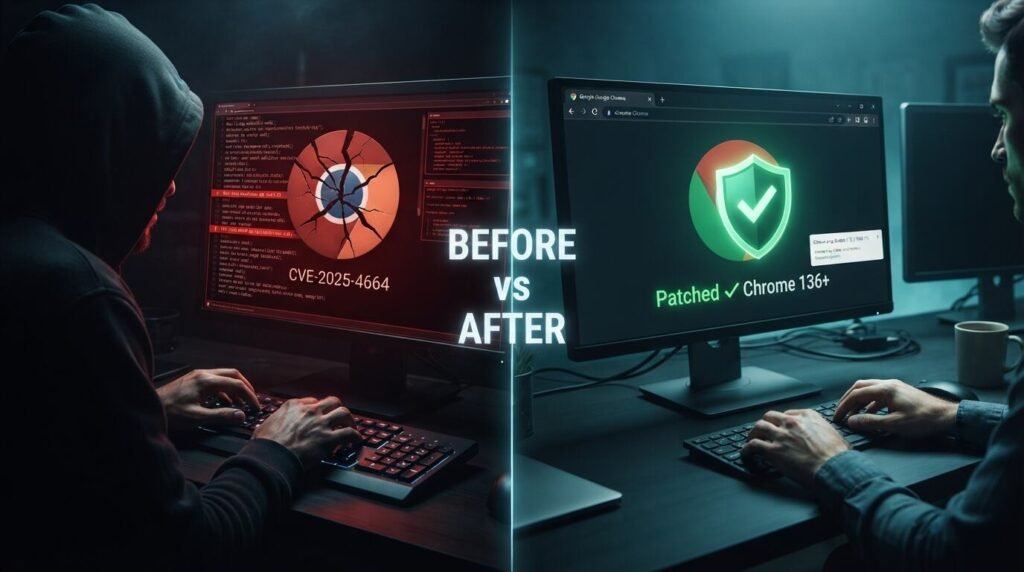
A high-severity Chrome vulnerability — CVE-2025-4664 — that Google fixed was being leveraged by attackers, CISA confirmed by adding the flaw to its Known Exploited Vulnerabilities catalog.
The problem lies in Chrome’s Loader component, which allows malicious actors to leak data between different sources via specially crafted HTML pages. The Link header can set a referrer-policy to unsafe-url and capture full query parameters — which can contain sensitive OAuth authentication data. This can lead to complete account takeover.
In plain English: someone could send you a malicious webpage, and Chrome would leak your login token to them — handing over your account without you ever entering a password.
CISA added the vulnerability to its Known Exploited Vulnerabilities catalog — a strong indication the vulnerability was being used in the wild.
The fix: Update Chrome to version 136.0.7103.113 or later. If you have automatic updates on — you’re already protected.
🔐 Other Chrome Security Features Working Alongside DBSC {#other-features}
Chrome’s Full Security Stack in 2026
Chrome Account Takeover Protection through DBSC doesn’t work alone. It’s part of a broader security system Google has built into Chrome:
Passkeys Passkeys now support millions of Workspace users, providing a faster and more phishing-resistant login method. Signing in with a passkey is 40% faster than using a password.</cite> Passkeys eliminate the password entirely — DBSC then protects the session after login.
Enhanced Safe Browsing Chrome blocks more than 3 million malware, phishing, and other scams every single day and protects more than 5 billion devices.</cite> Safe Browsing checks sites against Google’s real-time list of dangerous pages before you land on them.
Safety Check For strong identity protection in Chrome, start with Safety Check, enable password leak alerts, switch high-value accounts to passkeys or 2-step verification, and tighten autofill, sync, and extension permissions.
Password Leak Alerts Chrome’s built-in password manager automatically flags if any of your saved passwords appear in known data breaches — prompting you to change them before a hacker can use them.
👤 What This Means For Everyday Chrome Users {#means-for-you}
Do You Need to Do Anything?
The honest answer for most people: not much. DBSC is designed to work automatically in the background without changing how you browse.
But there are a few things worth doing right now:
Update Chrome immediately Go to Chrome menu → Help → About Google Chrome. Make sure you’re on version 146 or later to have Chrome Account Takeover Protection active.
Switch to Passkeys where possible Passkeys and DBSC together create the strongest protection available. Major sites like Google, GitHub, Microsoft, and Apple already support passkeys.
Run Chrome Safety Check Go to Chrome Settings → Privacy and Security → Safety Check. Fix any flagged passwords, extensions, or permissions.
Be careful with Chrome extensions <cite index=”5-1″>Studies found that over 50% of enterprise extensions have high or critical permission scopes. Browser-based attacks bypass many endpoint defenses, and unmanaged extensions are a recognized form of shadow IT.</cite> Only install extensions from trusted developers with a clear privacy policy.
Enable 2-Step Verification on your Google account Even as DBSC rolls out, 2-step verification adds an important additional layer — especially for accounts that haven’t yet implemented DBSC server-side.
Conclusion: Chrome Account Takeover Protection Is the Security Upgrade You Didn’t Know You Needed {#conclusion}
For years, the advice was simple: use a strong password, turn on 2FA, and you’ll be fine. That advice isn’t wrong — but it’s no longer complete.
Chrome Account Takeover Protection through DBSC addresses the gap that passwords and 2FA couldn’t close: the stolen session cookie. By binding your authenticated session to the physical hardware of your device, Chrome makes it cryptographically impossible for a stolen cookie to be used anywhere else.
A stolen cookie is considerably less useful when access also depends on a private key that never leaves the user’s device.
This is rolling out right now — quietly, automatically, in the background. Most Chrome users on Windows are already getting it. macOS is coming next.
The only action you need to take today is making sure Chrome is updated. Everything else happens without you having to lift a finger. And that’s exactly how good security should work.
📖 About the Author
Waqar Ahmad is a tech and digital lifestyle writer with over 6 years of experience covering mobile apps, communication tools, and productivity software. Committed to making tech updates understandable and useful for everyday readers.
1. What is Chrome Account Takeover Protection?
Chrome Account Takeover Protection refers to Google’s DBSC (Device Bound Session Credentials) feature, which cryptographically binds your browser session to your physical device using a TPM chip. This means that even if a hacker steals your session cookies, those cookies become useless on any other device because they lack the device-specific private key needed to validate the session.
2. Do I need to turn on Chrome Account Takeover Protection manually?
No. DBSC activates automatically when you log into a website that has implemented DBSC server-side support. You just need to make sure Chrome is updated to version 146 or later on Windows. You can verify it’s working by opening Chrome Developer Tools → Application tab → looking for “Device Bound Sessions.”
3. Does Chrome Account Takeover Protection work on macOS?
Currently, DBSC is live for Windows users on Chrome 146 and above. macOS support using the Secure Enclave is in development and expected in an upcoming Chrome release. Linux and mobile support have not been announced yet.
4. Can hackers still take over my account even with DBSC enabled?
DBSC specifically protects against session cookie theft — one of the most common current attack methods. It doesn’t protect against every type of attack. Phishing (where you’re tricked into entering credentials on a fake site), malware that captures keystrokes, or SIM-swapping attacks are separate threats. Use DBSC alongside passkeys, 2-step verification, and Safe Browsing for the strongest overall protection.
5. What is CVE-2025-4664 and is it fixed?
CVE-2025-4664 was a high-severity Chrome vulnerability in the browser’s Loader component that allowed attackers to steal OAuth authentication tokens through a specially crafted webpage — leading to complete account takeover. Google patched it in Chrome version 136.0.7103.113. If your Chrome is set to update automatically, you’re already protected. Go to Chrome menu → Help → About Google Chrome to confirm your version.
Sources: Google Security Blog — DBSC | Chrome for Developers — DBSC | Google Workspace Updates | TechRepublic | Help Net Security — CVE-2025-4664 | PiunikaWeb | Google Chrome Safety